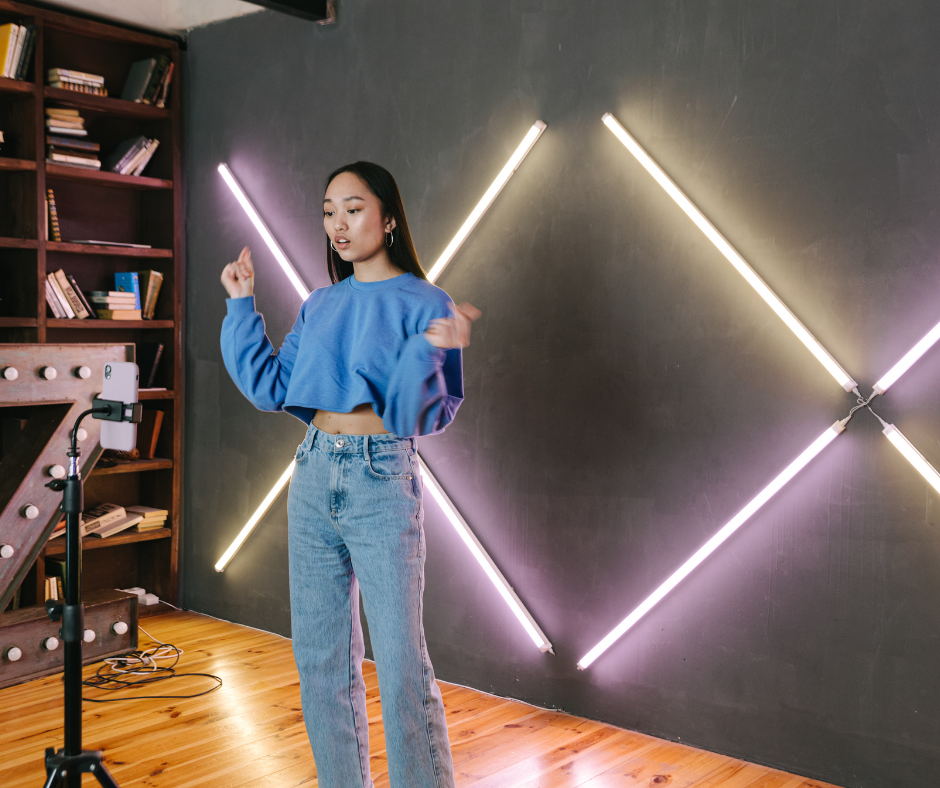
Your dancing deserves better than a shaky, dark, barely-visible video propped against a water bottle. Yet that's exactly what most dancers submit for coaching feedback—and it's limiting the quality of instruction they receive. When coaches can't see your footwork clearly, can't distinguish your frame details, or struggle to watch through distracting camera shake, their feedback becomes generic rather than specific. The result: you paid for coaching but got half the value you deserved.
The good news: recording excellent dance practice videos doesn't require expensive professional equipment. The right combination of affordable gear and free or low-cost apps transforms your smartphone into a capable coaching video studio. This guide covers everything you need—from essential tripods to advanced slow-motion apps—so every video you submit gives coaches the visual information they need to provide feedback that genuinely accelerates your improvement.
What Makes a Good Dance Practice Video
Before diving into specific equipment and apps, understanding what separates good coaching videos from poor ones helps prioritize your investments.
Coaches need five things from your footage: stable framing that captures your full body throughout the entire routine, adequate lighting that reveals technical details like foot positions and frame angles, clear audio that lets them assess your timing and musicality, sufficient resolution to pause and examine specific moments, and consistent framing without zoom changes or camera movement that disrupts analysis.
Every equipment and app recommendation in this guide serves one or more of these five requirements. Some items are essential. Others are upgrades that improve results without being strictly necessary. We'll distinguish between must-haves and nice-to-haves throughout so you can make informed decisions based on your budget and commitment level.
Essential Equipment: The Foundation
Tripods: Your Most Important Purchase
If you buy only one piece of equipment for dance video recording, buy a tripod. Nothing—not a newer phone, not better lighting, not premium apps—improves coaching video quality as dramatically and immediately as a stable, properly positioned tripod.
Handheld video, videos propped against walls, and phone balanced on chairs all create problems: inconsistent framing, camera shake, shifting angles mid-routine, and inability to position the camera at ideal height and distance. A tripod eliminates all of these problems simultaneously for $20-50.
Full-Size Tripods ($20-60)
Standard photographer's tripods with smartphone mounts work excellently for dance video recording. Look for models with adjustable height (ideally 20-65 inches), stable three-leg base that won't tip on smooth studio floors, fluid pan head that adjusts smoothly rather than clicking into fixed positions, and a compatible smartphone mount—most include universal mounts or sell them separately for $5-10.
Recommended options in this category include the UBeesize 67" tripod ($30-40, highly rated by content creators for stability at this price point), the Joby GorillaPod Full-Size ($50-60, flexible legs that grip uneven surfaces), and basic Amazon Basics or similar off-brand tripods ($20-25, perfectly functional for casual use).
Tabletop Tripods ($15-30)
Compact tripods that sit on tables, chairs, or other surfaces offer portability advantages over full-size tripods. They're easier to transport to studios, competitions, and practice spaces. The limitation: height constraints that might not position cameras at ideal angles for full-body shots.
The GorillaPod series ($25-35) dominates this category, featuring flexible legs that wrap around studio equipment, chairs, or railings for creative positioning. The compact Joby GripTight tripod ($20-25) provides similar flexibility. For most dance recording situations, full-size tripods provide better positioning options, but tabletop versions work well as portable supplements.
Tall Tripods and Extension Poles ($40-80)
Some dancers want camera height beyond standard tripod maximums—particularly useful for recording in large studio spaces where greater distance is needed. Tall tripods (extending to 7-8 feet) or standard tripods with extension poles provide this height. The Aureday 74" tripod ($35-45) and JOILCAN 80" model ($45-55) provide extra height at moderate prices.
For most home practice recording situations, standard tripods extending to 60-67 inches provide adequate positioning. Reserve tall tripods for specific situations requiring unusual camera placement.
What to Avoid
Ring light stands with phone mounts look appealing as dual-purpose purchases but often provide inadequate stability for clean video recording. Phone cases with integrated mini-tripods have tiny bases that tip easily. Suction cup car mounts repositioned for dance recording are unreliable. Invest in a proper tripod rather than rigging workarounds that compromise video quality.
Smartphones: What You Already Own Probably Works
Your current smartphone almost certainly records video adequate for coaching purposes. Modern smartphones from the past four to five years record at 1080p or higher, providing more than sufficient resolution for dance coaching analysis. Unless your phone is genuinely old (pre-2018) or damaged, it's not the bottleneck limiting your video quality.
Minimum Adequate Specifications
Any phone recording at 1080p (Full HD) produces coaching-ready video. Most phones meeting this specification include: iPhone 7 or newer, Samsung Galaxy S8 or newer, Google Pixel 3 or newer, or most Android phones released after 2018. If your phone records 1080p and has functional front and rear cameras, it handles dance video recording competently.
When Camera Upgrades Make Sense
Phone camera upgrades make sense when your current device records below 720p, when optical stabilization (OIS) is absent and footage looks consistently shaky despite tripod use, or when battery life is so limited it dies during practice sessions. These are functional problems worth solving. But upgrading from iPhone 12 to iPhone 15 to improve coaching video quality isn't necessary—coaches don't need 4K cinematic footage, just clear 1080p recordings.
4K vs. 1080p: Don't Overthink This
Most modern phones default to or offer 4K recording. For dance coaching videos, 1080p at 30fps provides everything coaches need. 4K recording creates enormous files (3-5 GB per minute) without providing proportional benefit for coaching purposes. Stick with 1080p unless you have specific reasons for higher resolution. It keeps files manageable, storage requirements reasonable, and upload times practical.
Remote Shutter Controls ($8-25)
Simple Bluetooth remote shutters solve the awkward "start recording, run into position, start dancing" routine. Press the remote button from your starting position to begin recording without scrambling or including the scramble in your footage.
Budget Bluetooth remotes ($8-15) from Amazon and similar retailers work with most smartphones. The Ulanzi BM04 ($15-20) and Joby Impulse ($20-25) offer slightly better build quality and reliability. For occasional solo recording, any Bluetooth remote shutter works adequately.
Some coaches recommend using your phone's built-in timer function instead of purchasing remotes—set a 5-second timer, press record, walk to starting position, and the recording begins before you arrive. This free approach works fine, though remotes provide more flexibility for recording multiple takes without walking to the camera between each attempt.
Portable Bluetooth Speakers ($25-80)
Clear music in coaching videos matters more than many dancers realize. Coaches assess timing, musicality, and rhythm interpretation—all requiring audible music. Home Bluetooth speakers positioned near the camera solve the problem of music dissipating across large practice spaces before reaching your phone's microphone.
The JBL Clip 4 ($40-50) clips to tripod legs or studio equipment, positioning sound near the camera for clear audio capture. The Anker Soundcore ($25-35) provides excellent sound quality at budget price. The JBL Go 3 ($30-40) offers compact portability ideal for carrying to different practice locations.
Position speakers 4-6 feet from the camera microphone, roughly at camera height. Test audio by recording 30 seconds, playing it back, and verifying music is clearly audible over ambient room noise. Adjust speaker volume and position until music clarity meets coaching requirements.
Supplementary Lighting ($30-80)
Natural light remains the best lighting solution for dance videos—free, flattering, and requiring no equipment. But if you regularly record in windowless studios, practice spaces with inadequate overhead lighting, or during evening hours, supplementary lighting dramatically improves video quality.
LED Ring Lights ($30-60)
Ring lights produce even, flattering light that eliminates harsh shadows. The 10" ring light size typically suffices for illuminating a single dancer's space. However, ring lights positioned directly behind or beside cameras can create flat, slightly unnatural lighting that some coaches find actually makes depth assessment more difficult. Use ring lights as supplement to other lighting rather than sole light source.
The Neewer 10" ring light kit ($35-45) includes stand and phone mount at reasonable price. The Godox LR120 ($50-60) provides better light quality with adjustable color temperature matching different room environments.
LED Panel Lights ($40-80)
LED panels positioned at 45-degree angles to your dancing space create more natural, directional lighting than ring lights alone. They're more versatile than ring lights but require stands and more setup time.
For most dancers, improving existing lighting through positioning adjustments and supplementary affordable LED panels produces better results than expensive lighting rigs. Spend money on better tripods or recording apps before investing heavily in lighting equipment.
Essential Apps: Recording and Enhancement
Built-In Camera Apps
Your phone's default camera app handles basic dance video recording competently. Both iOS Camera and Android Camera apps offer:
Manual and automatic exposure control
Multiple resolution settings
Front and rear camera options
Basic timer functions
High frame rate (slow motion) options on many models
For straightforward recording without specialized features, default camera apps serve perfectly well. Many dancers record excellent coaching videos using nothing beyond their phone's stock camera. Before purchasing premium apps, test default options—you may already have everything necessary.
FiLMiC Pro (iOS/Android, $15 one-time or subscription options)
FiLMiC Pro provides manual control over camera settings beyond what default camera apps offer: manual exposure, focus locking, custom frame rates, and advanced stabilization options. For dancers wanting more control over their recording environment, particularly in challenging lighting situations, FiLMiC Pro offers meaningful improvements.
Most useful features for dance recording: exposure lock prevents cameras from adjusting brightness during the routine (important when dancing across spaces with uneven lighting), focus lock ensures your dance space stays sharp throughout movement, and custom frame rate settings optimize video quality for different playback purposes.
The one-time $15 purchase provides permanent access to core features. For casual dance video recording, this upgrade provides modest improvement over default apps. For coaches or serious students who record frequently, the investment makes sense.
Camera+ 2 (iOS, $8)
Similar to FiLMiC Pro but with simpler interface, Camera+ 2 provides exposure and focus control beyond default iPhone camera app. It's particularly strong for still photography alongside video recording—useful for coaches who also want to capture photos during practice sessions.
For pure video recording purposes, Camera+ 2 provides similar benefits to FiLMiC Pro at slightly lower price. iOS users who prioritize simplicity often prefer Camera+ 2 over FiLMiC Pro's more complex interface.
Open Camera (Android, Free)
Android users who want manual camera control without cost should install Open Camera before purchasing premium apps. It provides exposure locking, focus control, manual white balance, and other manual settings missing from many default Android camera apps.
For recording in challenging environments—studios with fluorescent lighting, spaces with mixed light sources, outdoor practice areas with changing light—Open Camera's manual controls prevent automatic adjustments that create inconsistent footage quality. It's free, well-maintained, and preferred by many Android users over paid alternatives.
ProCamera (iOS, $12)
ProCamera combines manual video controls with strong photo capture capabilities and intuitive interface. It's popular among dancers who want professional-level control without FiLMiC Pro's learning curve.
Particularly useful features for dance recording include the horizon level indicator (helps ensure camera is perfectly horizontal before recording), real-time histogram showing exposure quality, and clean recording interface without cluttered controls distracting from setup.
Slow Motion and Analysis Apps
Slow-motion video analysis transforms how dancers review their own technique. Watching yourself at 25% or 50% speed reveals movement patterns, timing issues, and technical details invisible at normal playback speed. Many coaches use slow motion analysis extensively—having this capability in your own practice accelerates self-correction between coaching sessions.
Slow Mo Video (iOS, Free)
Apple's built-in iPhone slow-motion capture (available in default Camera app) records at 120fps or 240fps depending on your model, enabling 4x or 8x slow-motion playback. For dancers using modern iPhones, this built-in capability handles most slow-motion needs without additional apps.
The limitation: iPhone captures slow motion at recording time, not during review. You must deliberately choose slow-motion recording mode before capturing footage. You can't convert standard footage to slow motion after the fact with the default app.
Recording Tip: Record a separate slow-motion version of specific movements you want to analyze in detail, particularly complex footwork sequences, spin exits, or turn mechanics. Submit your standard 1080p footage for coaching and use slow-motion review for personal analysis between sessions.
SloPro (iOS, Free with in-app purchases)
SloPro creates slow-motion video from existing footage by analyzing frames and interpolating additional ones—a process called optical flow interpolation. This lets you slow down standard video footage recorded at normal speed without the dedicated slow-motion recording mode.
Results are imperfect compared to true high-frame-rate slow motion—interpolated frames sometimes create slight visual artifacts—but adequate for personal technique review. The free version watermarks videos; the paid version ($4-8) removes watermarks. For reviewing your own footage between coaching sessions, free version limitations don't significantly affect utility.
Coach's Eye (iOS/Android, $10-20/year)
Coach's Eye is purpose-built video analysis software originally designed for sports coaches. While primarily a tool for coaches providing feedback, dancers can use it for self-analysis. Features include side-by-side video comparison (compare your current technique to previous videos or reference footage), drawing tools for annotating your own footage, slow-motion playback at variable speeds, and simple video sharing.
The annual subscription model ($10-20/year depending on tier) is reasonable for serious students who want professional-quality self-analysis tools. Many coaches providing video critiques also use Coach's Eye, so familiarity with the platform helps you understand the analysis tools they might use when reviewing your submissions.
Hudl Technique (iOS/Android, Free with Premium options)
Originally developed for team sports, Hudl Technique works excellently for individual dance analysis. Free version includes side-by-side comparison, slow-motion playback, and basic drawing tools. Premium tier ($5/month) adds advanced features most casual users don't need.
The comparison feature stands out: place your current video alongside footage from weeks ago to visually assess improvement. This self-monitoring between coaching sessions maintains momentum and helps verify you're implementing corrections correctly. Share comparison videos with coaches when submitting for critique—coaches who can see your before and after often provide more targeted, efficient feedback.
Dartfish Express (iOS/Android, Free with in-app purchases)
Dartfish Express provides professional-grade video analysis features at accessible price. Telestration tools (drawing arrows and lines on frozen video frames), angle measurement tools, and variable speed playback make it popular among serious athletes across multiple sports.
For dancers focused on body alignment analysis—measuring frame angles, assessing body rotation, evaluating head position—Dartfish's measurement tools provide precision beyond basic drawing apps. The free version offers substantial capability; paid features ($5-10) add advanced measurement and sharing functions.
Recording Organization Apps
Recording practice videos is only half the challenge. Organizing, reviewing, and managing video files so you can find specific footage when needed requires some system.
Vimeo (iOS/Android, Free with paid tiers)
Vimeo provides private video hosting ideal for dance practice footage. Unlike YouTube (default public-facing), Vimeo defaults to private videos with easy sharing controls. You can share specific videos with coaches via link without making footage publicly accessible.
Free tier allows 5GB storage—adequate for moderate video recording. Plus tier ($7-12/month) provides 20GB weekly upload and unlimited storage. For serious students submitting multiple videos monthly to coaches, Vimeo's organization and privacy features make it worth the subscription over using phone storage alone.
Google Photos (iOS/Android, Free with storage upgrades)
Google Photos automatically organizes your photos and videos by date, location, and content—useful for finding specific practice sessions across months of footage. The search function locates videos from specific dates, making "find my practice videos from October" straightforward.
The free 15GB storage limit fills quickly with 1080p dance videos (roughly 1GB per 10 minutes). Google One storage upgrades ($3/month for 100GB) solve this problem affordably. For dancers who record frequently and want automatic backup with easy search, Google Photos provides convenient organizational backbone.
Dropbox (iOS/Android, Free with paid tiers)
Dropbox's automatic camera upload feature backs up all phone photos and videos immediately after recording. The simple folder structure makes organizing footage by date, coach, or routine straightforward. Sharing specific videos with coaches via Dropbox link is simple and reliable.
Free tier provides 2GB—inadequate for regular video recording. Plus tier ($12/month) provides 2TB, more than sufficient for years of dance practice footage. For dancers who record heavily and want robust backup and easy sharing, Dropbox provides reliable infrastructure.
Smartphone Stabilizers and Gimbals ($80-200)
While tripods handle stationary recording perfectly, gimbal stabilizers (motorized camera mounts that counteract hand movement) allow smooth tracking shots for dancers who want dynamic footage of their practice.
For coaching video submissions, tripod-mounted stationary footage remains superior—coaches need stable reference points to analyze movement, not cinematically moving cameras. Gimbals serve different purposes: creating impressive social media content, recording with movement for artistic documentation, or capturing footage at competitions where tripod access is limited.
If social media content creation alongside coaching video submission interests you, gimbals provide significant upgrade over handheld footage.
DJI OM 6 ($130-160)
DJI dominates consumer gimbal market with good reason—the OM series consistently delivers excellent stabilization, user-friendly operation, and reliable performance. The OM 6 adds magnetic phone mount for quick attachment and ActiveTrack feature that keeps you centered in frame as you move. For dance content creation where you want dynamic footage, DJI OM 6 provides professional results at prosumer price.
Zhiyun Smooth 5S ($150-180)
Zhiyun's Smooth series competes directly with DJI across price points. The Smooth 5S provides comparable stabilization with slightly different form factor some users prefer. At similar price to DJI OM 6, choose based on which interface and form factor suits your preferences.
Hohem iSteady M6 ($80-100)
Budget gimbal option for dancers wanting stabilization without premium price. Performance is slightly below DJI and Zhiyun at equivalent price points but provides meaningful stabilization improvement over handheld recording. Reasonable starting point if you want gimbal capability without significant investment.
Important Note: Gimbals are optional upgrades for content creation, not essential equipment for coaching video submissions. Buy a quality tripod first. Consider gimbals only after meeting your coaching video requirements and if social media content creation interests you.
Teleprompter Apps for Coaches
While not directly relevant to student recording, dance coaches providing video critiques might appreciate teleprompter apps that display notes while recording feedback.
PromptSmart Pro (iOS/Android, $20)
Uses voice recognition to automatically advance script as you speak, useful for coaches who script or outline key critique points before recording. Eliminates the awkward pauses of losing your place while reviewing student footage.
Teleprompter + (iOS, $18)
Similar functionality with clean interface. Coaches who prefer preparation and scripting over improvised critique delivery find teleprompter apps improve critique quality and reduce unnecessary repetition.
Lighting Equipment Beyond Basics
For coaches building home recording setups or serious students investing in permanent practice video infrastructure, more sophisticated lighting solutions provide consistent professional results.
Elgato Key Light ($180-200)
Originally designed for video streamers and content creators, Elgato Key Light provides high-quality adjustable lighting controlled from your phone via app. You can precisely adjust brightness and color temperature to match different practice environments. For coaches recording video critiques in dedicated spaces, Key Light provides consistent, repeatable lighting without constant adjustment.
Students with permanent home practice spaces might consider Key Light as long-term infrastructure investment, but its price point positions it as premium upgrade rather than essential equipment.
Neewer 2-Pack Photography Lights ($80-120)
Two-point lighting setups (placing lights at 45-degree angles to your subject from each side) create professional, shadow-minimized illumination ideal for video recording. Neewer's affordably priced LED panel two-packs ($80-100) provide this two-light setup without professional photography equipment pricing.
For students who practice in spaces with consistently poor lighting and want permanent solutions, two-point lighting setups provide better results than ring lights alone and more coverage than single portable lights.
Complete Package Recommendations
Rather than evaluating individual items in isolation, here are complete equipment packages for different budgets and use cases.
Essential Starter Package ($35-60)
Everything needed to record adequate coaching videos immediately:
UBeesize or similar 67" tripod with phone mount ($25-35): Stable full-size tripod providing height adjustment and solid base for consistent footage
Bluetooth remote shutter ($8-15): Eliminates starting position scramble for solo recording
Total investment: $33-50
This minimal package addresses the primary problem limiting most coaching videos (camera stability) without unnecessary complexity. Default camera app handles everything else. Start here before adding anything else.
Improved Quality Package ($80-130)
Starter package plus audio and lighting improvements:
Full-size tripod ($25-35) Bluetooth remote shutter ($8-15) Portable Bluetooth speaker ($25-40): Solves music audio clarity for coaches assessing timing Simple LED ring light or portable LED panel ($20-40): Addresses recording in poorly lit practice spaces
Total investment: $78-130
This package solves the four most common coaching video problems: stability, starting position scramble, audio clarity, and lighting inadequacy. Suitable for students submitting regular coaching videos who want reliable quality without premium investment.
Serious Student Package ($150-250)
Complete solution for students submitting regular coaching videos and creating social media content:
Quality full-size tripod ($35-50) Bluetooth remote shutter ($15-20) JBL Clip 4 or similar quality portable speaker ($40-55) LED panel or ring light ($35-50) Coach's Eye or Hudl Technique subscription ($10-20/year) Vimeo Plus subscription ($84/year)
Total investment: $135-195 hardware plus $94-104/year subscriptions
This complete package handles recording, audio, lighting, slow-motion analysis, and footage organization—covering every aspect of professional coaching video production and self-analysis.
Coach's Professional Setup ($300-500)
For coaches creating professional coaching content and students with serious competitive goals:
Tall tripod with extension ($50-70) Quality Bluetooth remote ($20-25) Elgato Key Light or Neewer 2-pack lighting ($120-200) Quality Bluetooth speaker ($50-70) FiLMiC Pro app ($15) Coach's Eye premium subscription ($20/year) Dropbox Plus ($12/month)
Total investment: $255-380 hardware plus $164/year subscriptions
This professional-grade setup produces consistent, high-quality video suitable for coaching demonstrations, social media content creation, and detailed self-analysis alongside coaching submissions.
Platform-Specific Considerations
Different coaching platforms have different technical requirements and submission methods. Understanding these requirements optimizes your recording approach.
CritiqueMyDance Submissions
CritiqueMyDance accepts standard video formats including MP4 and MOV—the default output of most smartphone camera apps. Record in 1080p for optimal file size and quality balance. Videos between 60-120 seconds typically provide sufficient material for comprehensive coaching feedback.
Upload directly from your phone or use cloud storage (Google Drive, Dropbox) as intermediary if file sizes are too large for direct upload. Most 60-90 second 1080p videos range from 80-200MB, well within typical upload limits.
Managing File Sizes
Large video files create upload headaches. If you're experiencing upload problems or submission failures:
Switch from 4K to 1080p recording—this reduces file size by roughly 70% with minimal quality impact for coaching purposes. Enable HEVC (High Efficiency Video Coding) in iPhone settings under Camera > Formats > High Efficiency to reduce file sizes by approximately 50% without quality loss. For Android, many phones offer similar compression options in camera settings. Trim videos to remove pre-routine setup and post-routine cool-down using your phone's built-in video editing tools—every unnecessary second adds file size.
Sharing Videos Effectively
When submitting videos for coaching or sharing with partners:
iCloud links (iPhone to iPhone) provide seamless sharing without compression quality loss. Google Photos sharing links work across all platforms without sign-in requirements. AirDrop (Apple devices) transfers files at full quality without internet upload/download. WhatsApp and Instagram DMs compress videos significantly—avoid these for coaching submissions where quality matters.
Maintaining Your Equipment
Dance practice environments are harder on equipment than typical photography settings: dusty studio floors, humidity from exertion, risk of tripod tipping from vibration or accidental contact. Basic maintenance extends equipment lifespan and prevents recording day failures.
Tripod maintenance: Wipe leg joints and locks periodically to prevent dust buildup that causes sticking or slipping. Fully extend and retract legs monthly to keep mechanisms smooth. Store extended slightly (not fully compressed) to prevent seized leg mechanisms.
Phone care: Clean camera lens regularly—fingerprints and smudges reduce clarity more than most people realize. A quick wipe before each recording session takes 10 seconds and noticeably improves footage quality. Use a phone case that provides grip without covering the camera lens.
Speaker maintenance: Charge your Bluetooth speaker after every practice session rather than day-of—discovering dead batteries right before a recording session is reliably frustrating. Keep speaker away from direct floor contact where vibration and moisture cause damage over time.
Battery management: Enable Low Power Mode before long recording sessions to extend battery life. Alternatively, keep a portable battery charger in your dance bag for extended practice sessions where your phone might drain completely.
Building Your Recording Routine
The best equipment setup is one you'll actually use consistently. Complex setups requiring 10 minutes of preparation create resistance that results in skipped recording sessions. Simple, fast setup routines encourage consistent recording.
Develop a pre-recording checklist that takes under three minutes: tripod placed and height adjusted, phone mounted and framing tested, Bluetooth speaker connected and music queued, remote shutter paired and tested, recording app opened and settings verified.
Keep your recording bag packed and ready near your practice space. A small bag containing tripod, remote, and Bluetooth speaker eliminates the friction of gathering equipment from different locations before each session.
Treat recording as part of practice rather than separate preparation. Students who record consistently generate more coaching opportunities, accumulate visual records of their improvement, and develop self-awareness that accelerates development between formal coaching sessions.
The equipment and apps covered in this guide range from $15 for a basic tripod to comprehensive setups approaching $300. Start with the essentials—a stable tripod and remote shutter. Add audio and lighting solutions as budget allows. Incorporate slow-motion analysis apps once basic recording is established.
Every dollar invested in recording infrastructure pays dividends across every coaching session it supports. A $30 tripod improves every video critique for years. A $25 Bluetooth speaker ensures coaches can assess timing in every submission. These tools serve your coaching investment, multiplying the value of every critique you receive.
Record better videos, get better feedback, improve faster. The equipment makes the difference between coaches saying "I can see some issues but the footage makes it hard to be specific" and "At exactly 0:47, here's precisely what's happening and exactly what needs to change." That specificity is where real improvement lives—and good equipment puts it within reach.